Specularity

Interactive Multimedia Installation

Multimedia work that beckons participants to shape their own unique reflection experience using audio input.
Role & Responsibilities
Project Lead
>Designing
>Prototyping
>Developing
Team
Solo Project
Duration
4 mo.
Tools
Figma
Adobe Illustrator
p5.js / VS Code
CNC Machine
Problem
People often get lost in the routines of daily life without taking a step back to check in with themselves and their well being. This can lead to feelings of isolation, anxiety, and this general feeling that they are experiencing this alone, which has only increased post-pandemic.
Solution
I decided to create an opportunity for people to create their own reflection experience in the safety of their own private session, whilst sharing and reading each other's experiences.

01 Research

Inspired Research
Due to the nature of this project as an installation work, I started with collecting inspiration from existing work with similar themes.
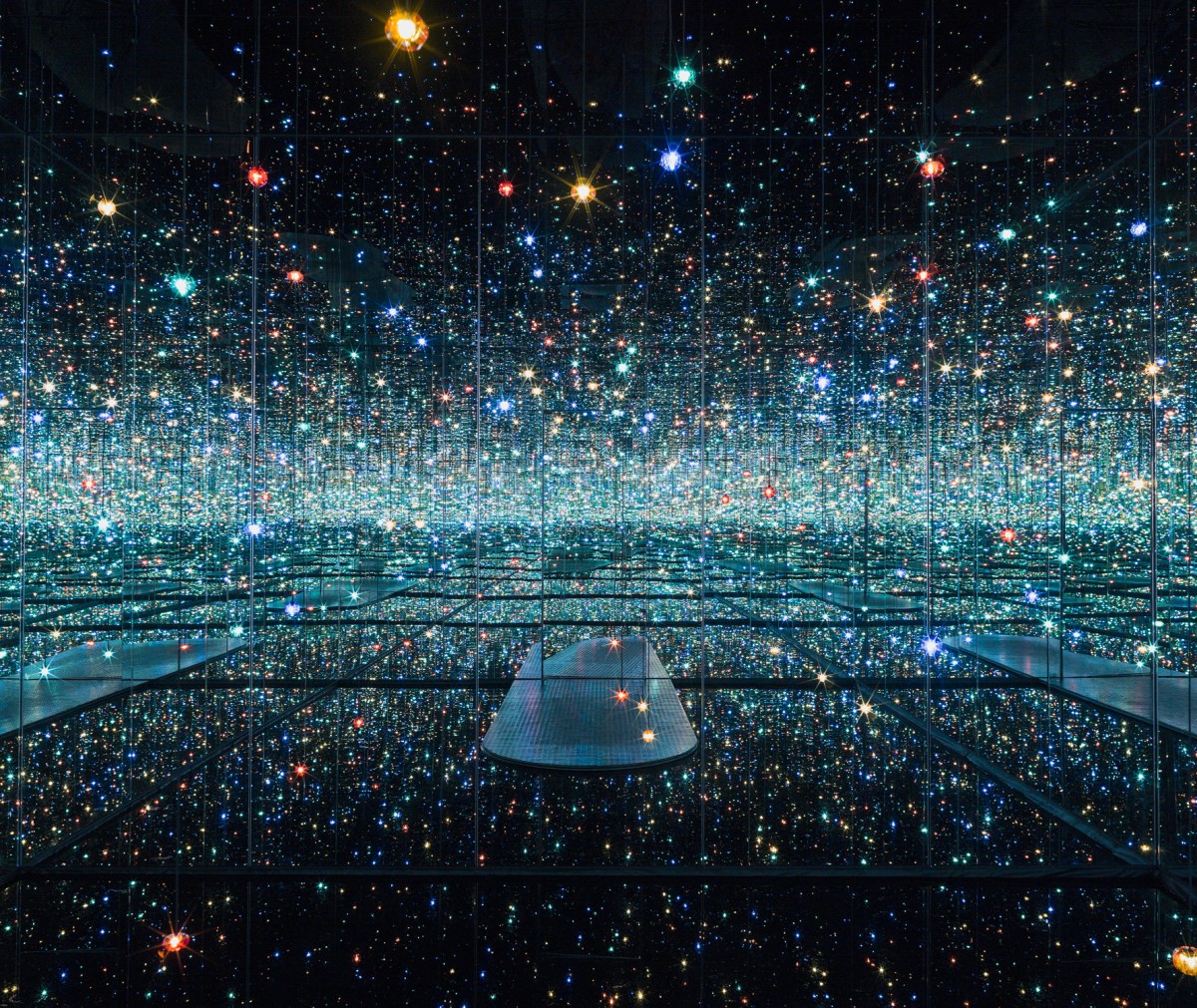
One of the biggest inspirations I used to inform my work was Yayoi Kusama's Infinity Room series.
I wanted to emulate that same feeling that Kusama's Infinity Rooms creates, which is the feeling of walking into this small space but feeling that it is so much bigger than it actually is and appreciating the sense of peace and safety of being alone that comes from being in this specific space.
I also think that the physical space and how it makes a person feel is important in initiating a chance for self-reflection.  
I also took inspiration from other spaces I had experienced in real life.
The space shown here is the Intercultural Communication Space at the museum in Ulm.
One particular element I liked about this space was that in enabled communication between two parties, while still affording the users a sense of privacy and intimacy, which is a balance that I wanted to achieve in my own installation.
I kept in mind three primary interest areas while collecting inspiration.
Reflection (Literal)
I wanted to utilize "reflection" in a literal sense. Culturally, significance with reflective surfaces as a way to look into the inner self. Delving into the different cultural interpretations helped inform me and shape the direction of my project.
Reflection (Metaphorical)
The primary focus of my work was to provide an interactive space for users to reflect. I took a look at other existing works with a similar purpose to understand how they intiated user reflection and the different outcomes of this.
Multimedia Format
I considered my strengths as a digital media specialist in both digital and physical design. Using digital techniques in tandem with physical prototyping is a specific area of interest for me and challenged me to go out of my comfort zone.

02 Ideate

Brainstorming
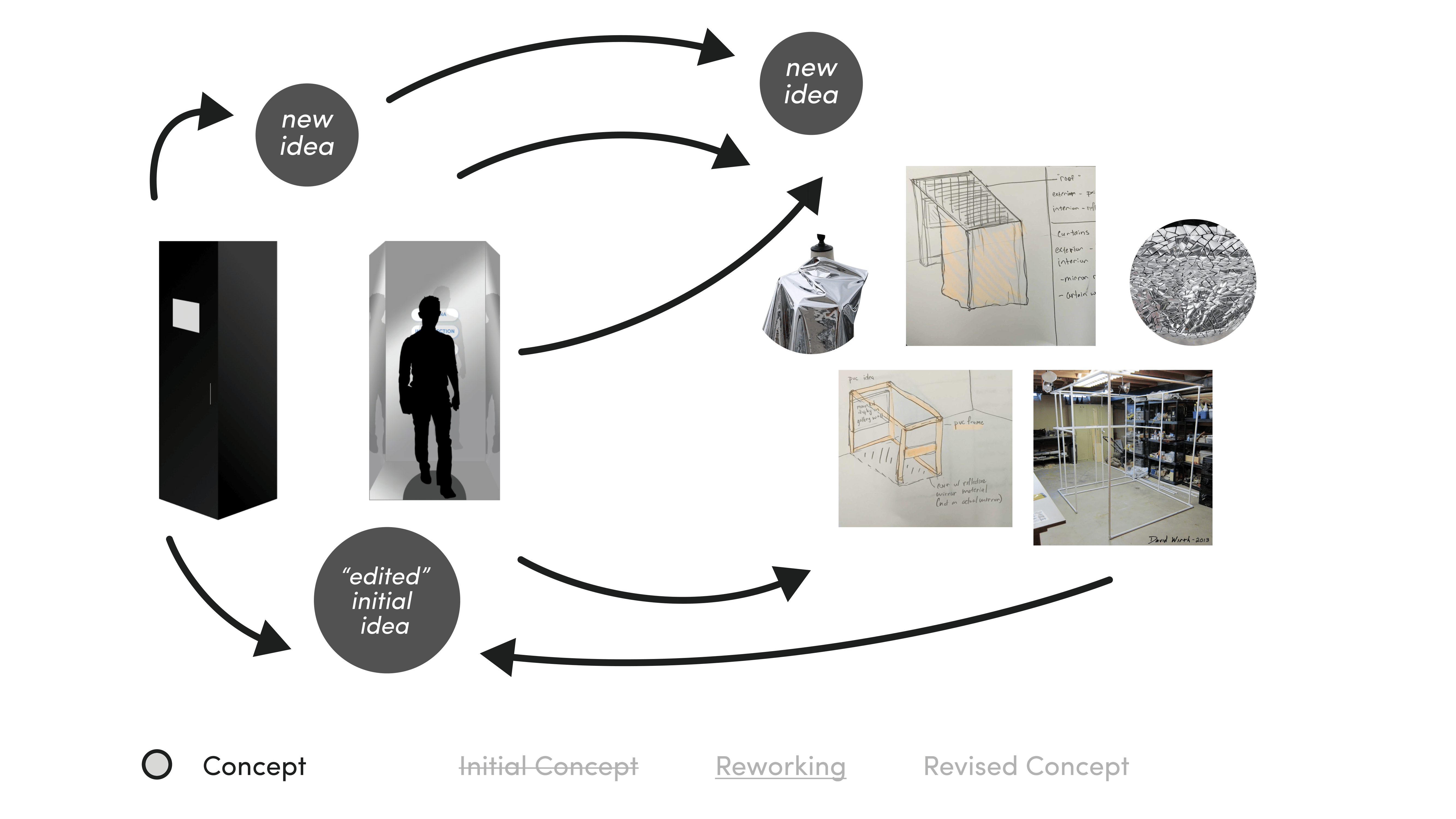
As I brainstormed, I did so without considering restraints like resources or time, so I started off
with a very large idea and a broad set of requirements.
After presenting my first iteration, I factored in aspects of time(could I build this project myself in the given timeframe) and resources(can I get the materials needed and do I have the budget for them).
After I estimated the realistic time and money needed to build my initial iteration, I decided I needed to scale the project down for the sake of my wallet and my sanity.
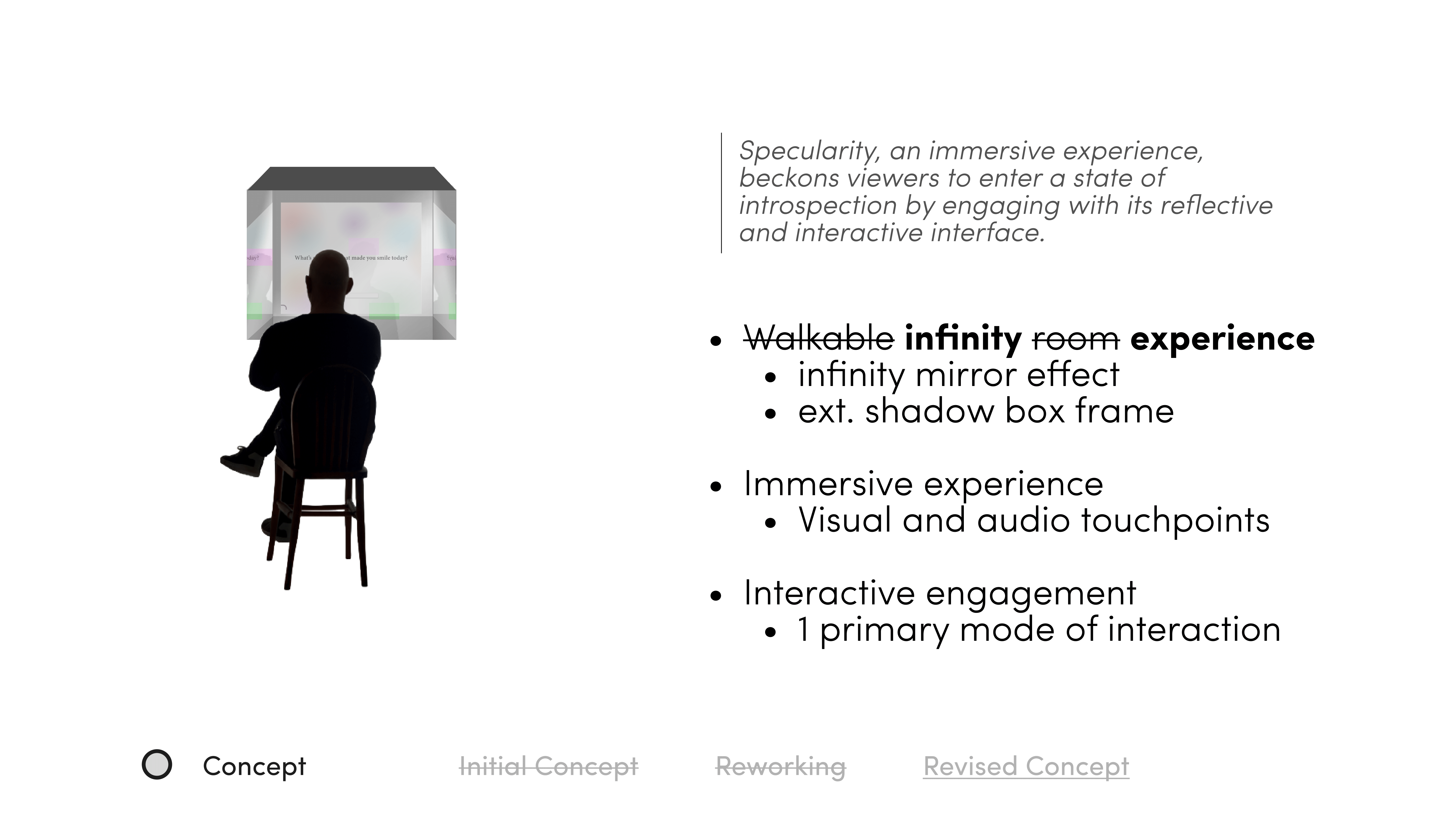
Revising my concept consisted of swapping out one material for another, comparing the costs, and going back and forth between new and previous elements.
I reached a point of frustration in this stage, so I took a step back and reviewed the most important requirements for this work as well as the overall purpose and intent of the work.
I scaled down my idea as well as redefined new requirements based on this iteration.
Defining the Physical Build
I then needed to define the specifics of the physical components I needed in order to realize my idea.
I split the physical build into two parts:
Interface
For the shadow box housing the interface, I needed to look at what resources were available to me, whether or not I could cut these materials down to size, and then adjust the dimensions and specifications accordingly.
Exhibit
I also needed to consider how I would exhibit this installation and what materials I would need to achieve the same intent as my initial idea.
I still wanted to achieve a sense of privacy in the midst of a multi-work exhibition space, and decided a curtain would help achieve this while staying within project restraints.
Defining the Digital Build
I moved onto determining the digital tools needed for the installation,
as well as potential technical issues and solutions.
Proof of Concept
To ensure I would be able to fully realize and build off of my idea, I created a basic prototype as a proof of concept.
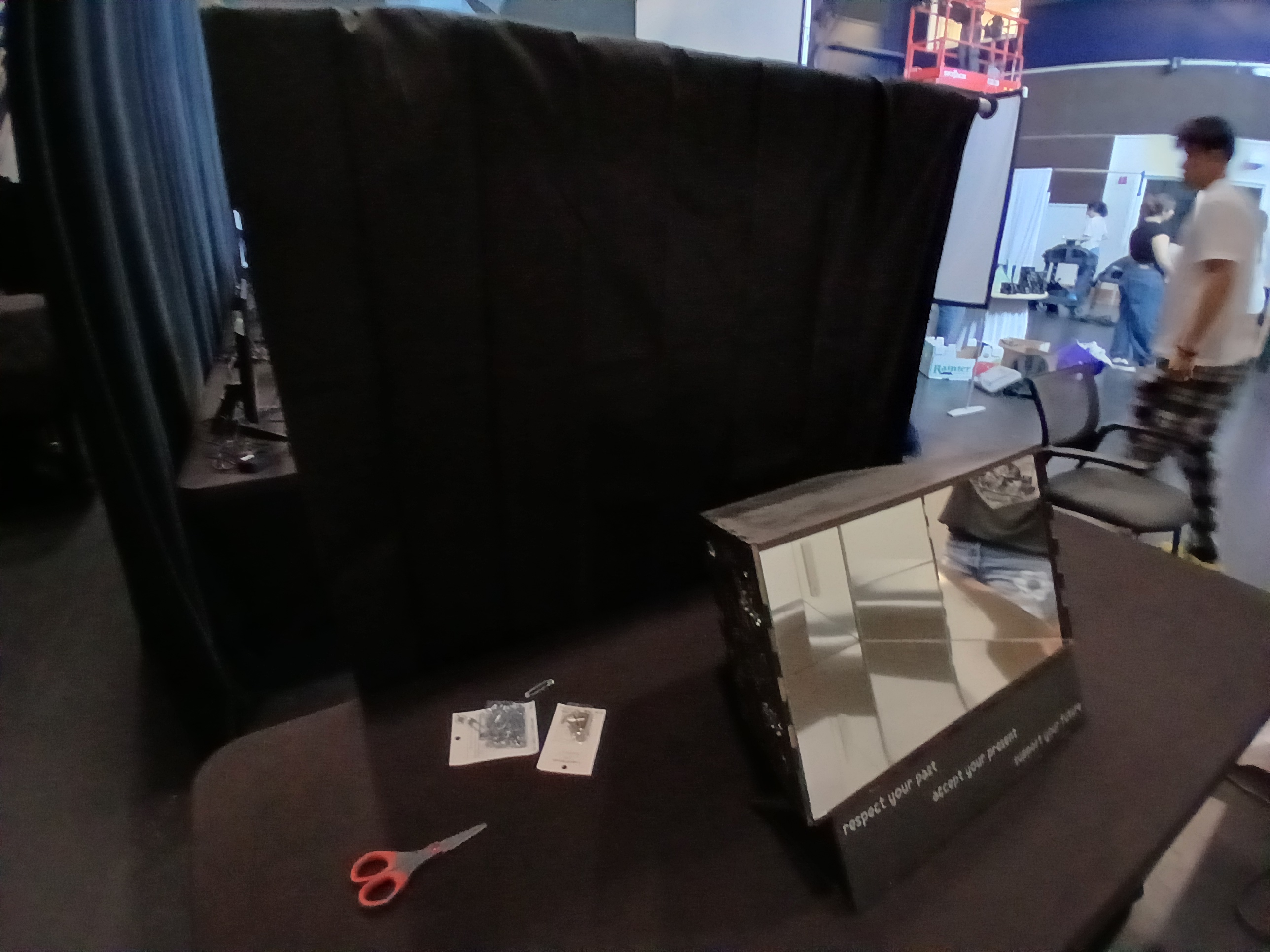
Using cheap foam board, I constructed a basic shadow box that could fit a tablet and keyboard for user input.
To imitate a mirror surface, I attached reflective tape to the interior of the shadow box which achieved the same effect as mirror for a fraction of the cost.
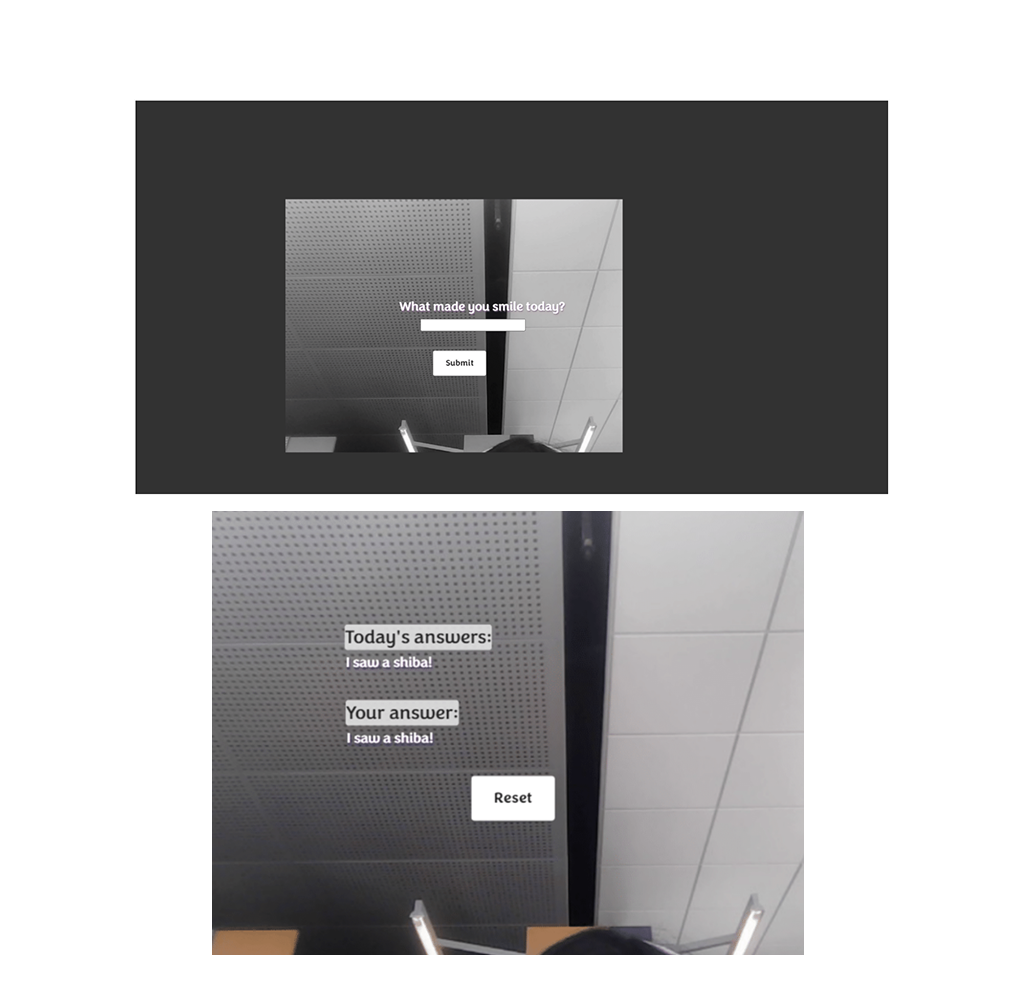
Using p5.js and VS code, I created a basic website that utilized the camera and allowed user input via keyboard to answer the reflection questions that appeared on the screen. I was then able to host this website via GitHub to access on the tablet.
User Flow
Prior to bringing in my prototype for testing, I created a user flow of what the expected navigation steps might look like.
I kept this predicted user flow in mind during testing, as I was aware that the steps would change based on my observations from user testing.

03 Testing & Revision

User Test Observations
After conducting user testing amongst my peers, I took note of three major changes I needed to make.
Switch User Input
After observing and speaking with users who seemed to be more hesitant and unsure of how to complete the task, I realized the uncertainty was because using the keyboard was not an intuitive action. Users had to look into the box where the display is, but type with the keyboard underneath and out of view.
Provide User Guidance
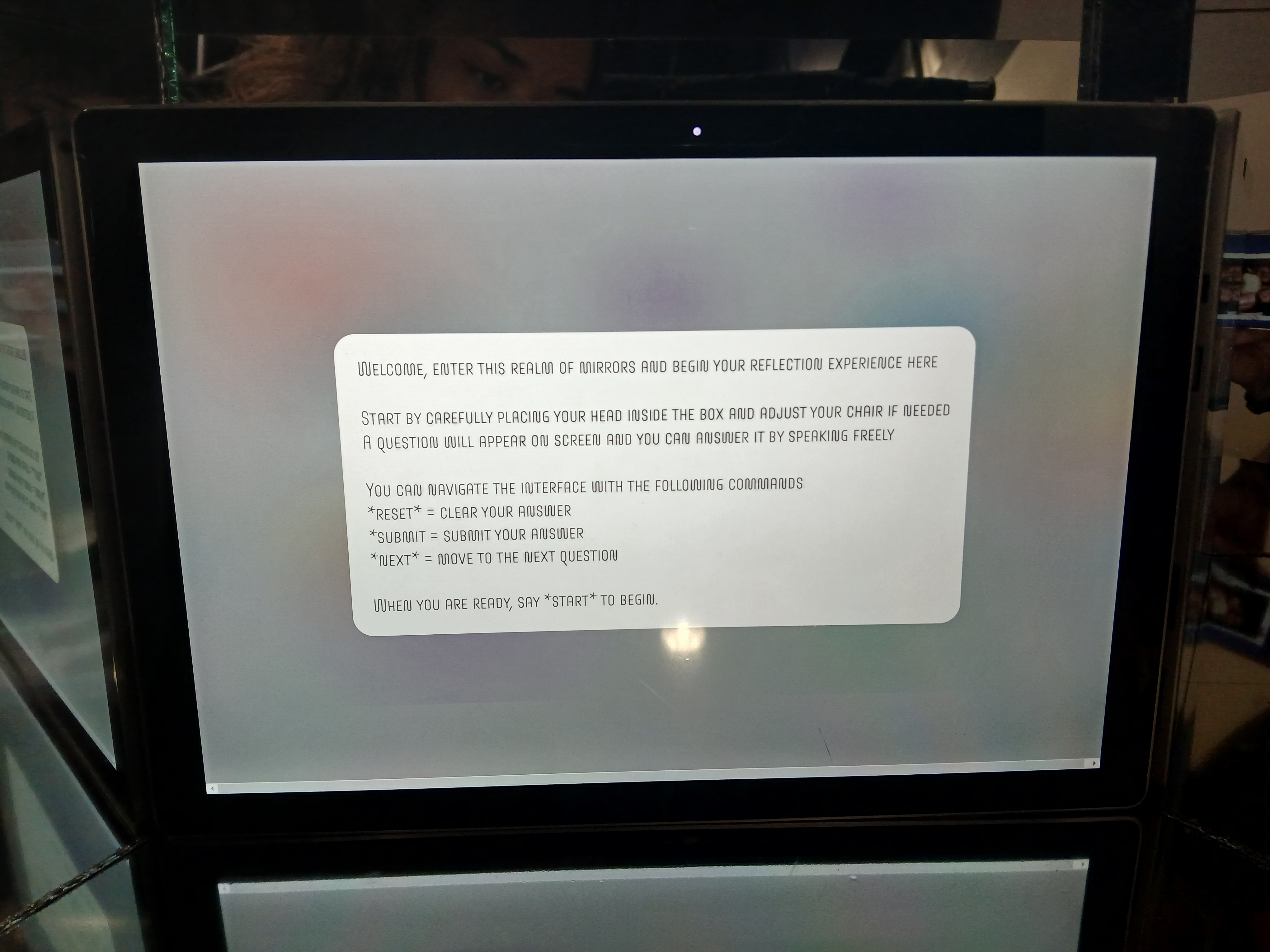
A big part of user confusion during my first user test was a lack of instructions. I had prompted my peers to use it without any verbal instruction and noticed it took some exploration time for them to realize they needed to type in response to the question on the screen.
Increase Box Dimensions
After seeing multiple people test my project, I realized that the box that housed the display was way too small. For most of the users, sticking their head inside was not too comfortable and they completed the task from a distance, which also somewhat broke the immersion I intended users to have.
This also lead to me having to place the keyboard under the box instead of inside.
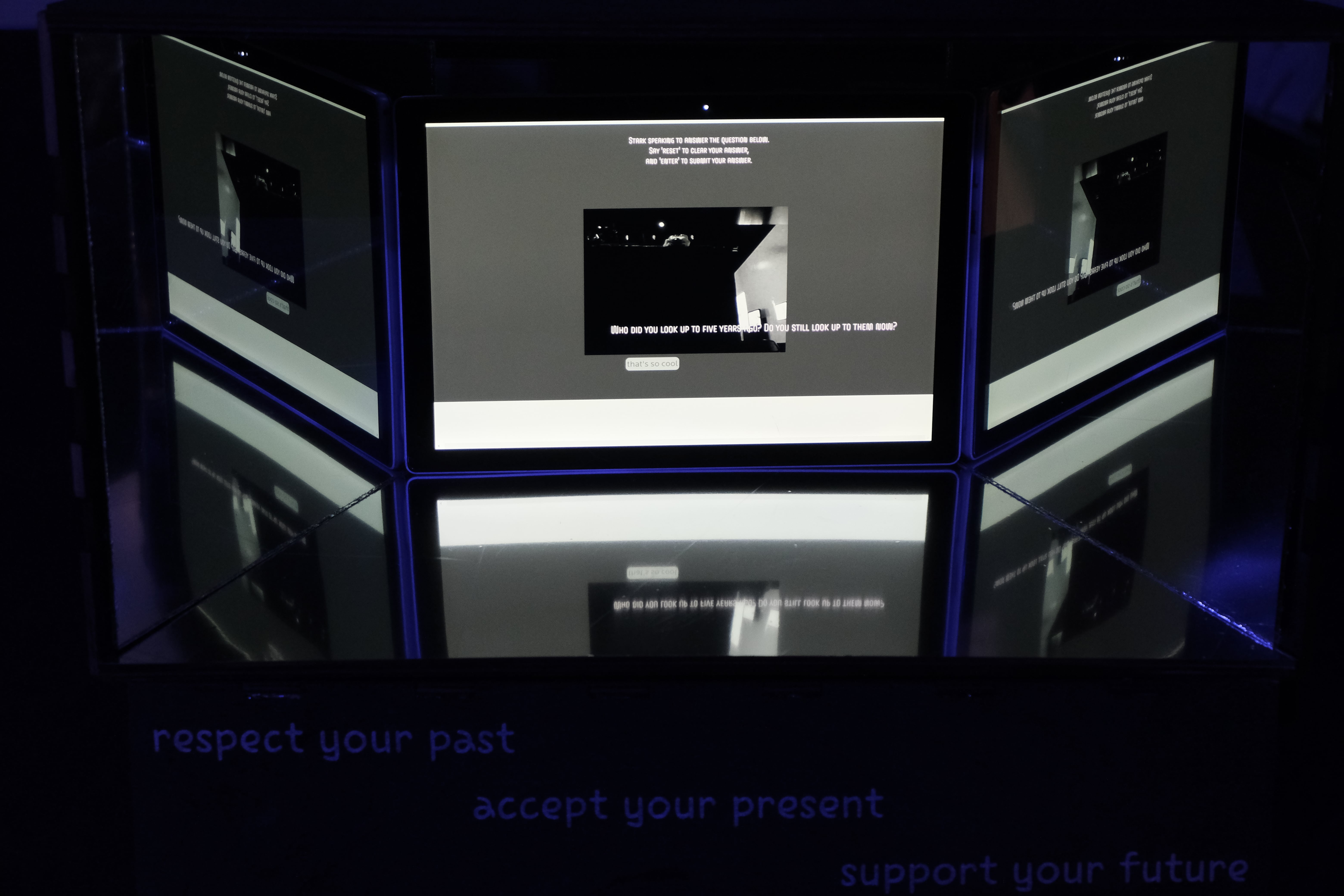
Instead of keyboard input, I decided to try testing audio input for the next iteration. After looking in the reference, I could also confirm that this would be a possible feature for me to implement.
With the changed mode of input, it also became necessary to provide a set of instructions that would inform the user how to navigate using only voice commands.
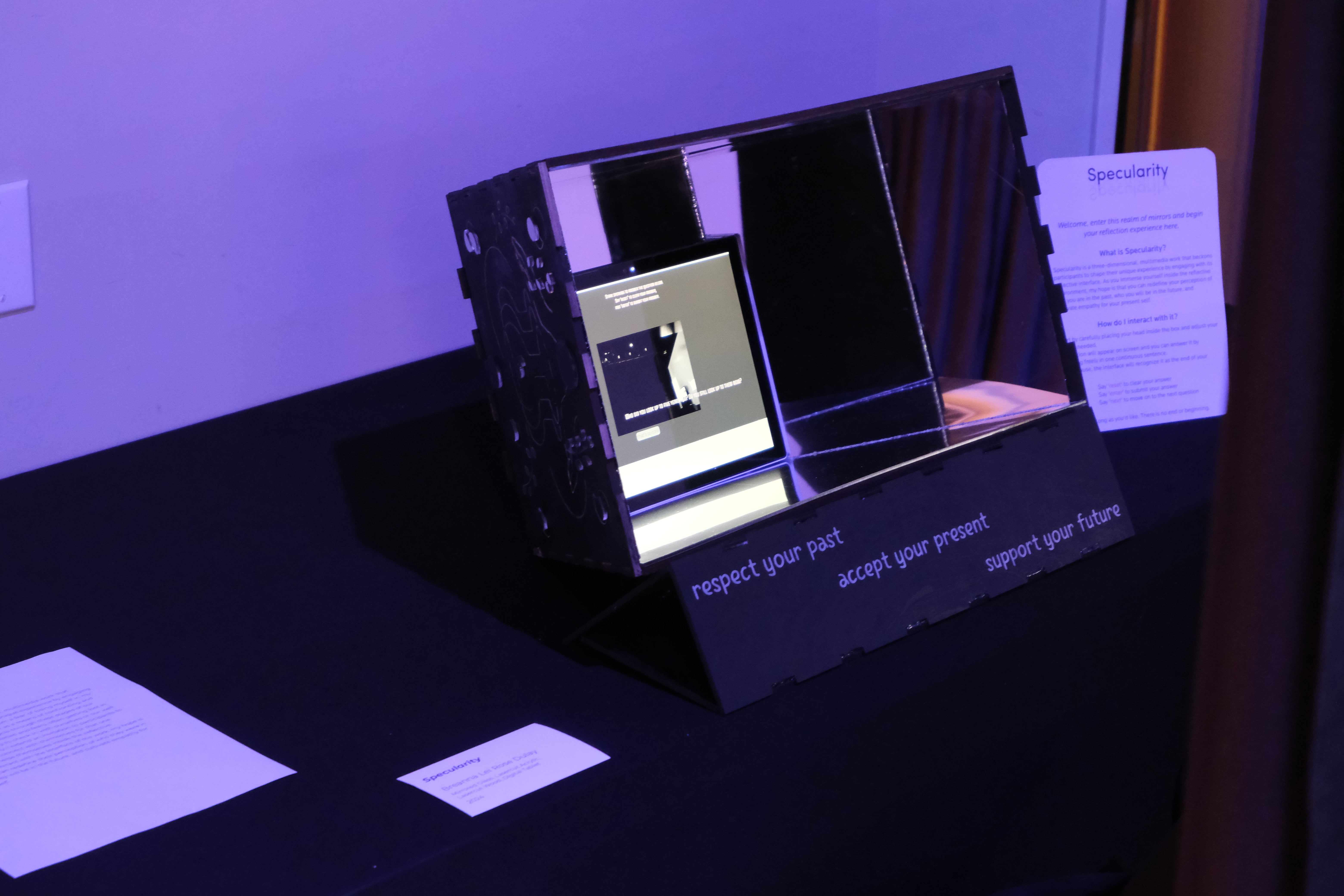
After evaluating the size of materials available to me and creating another prototype to scale, I adjusted the measurements of my shadow box to be laser cut.
Physical Build Documentation
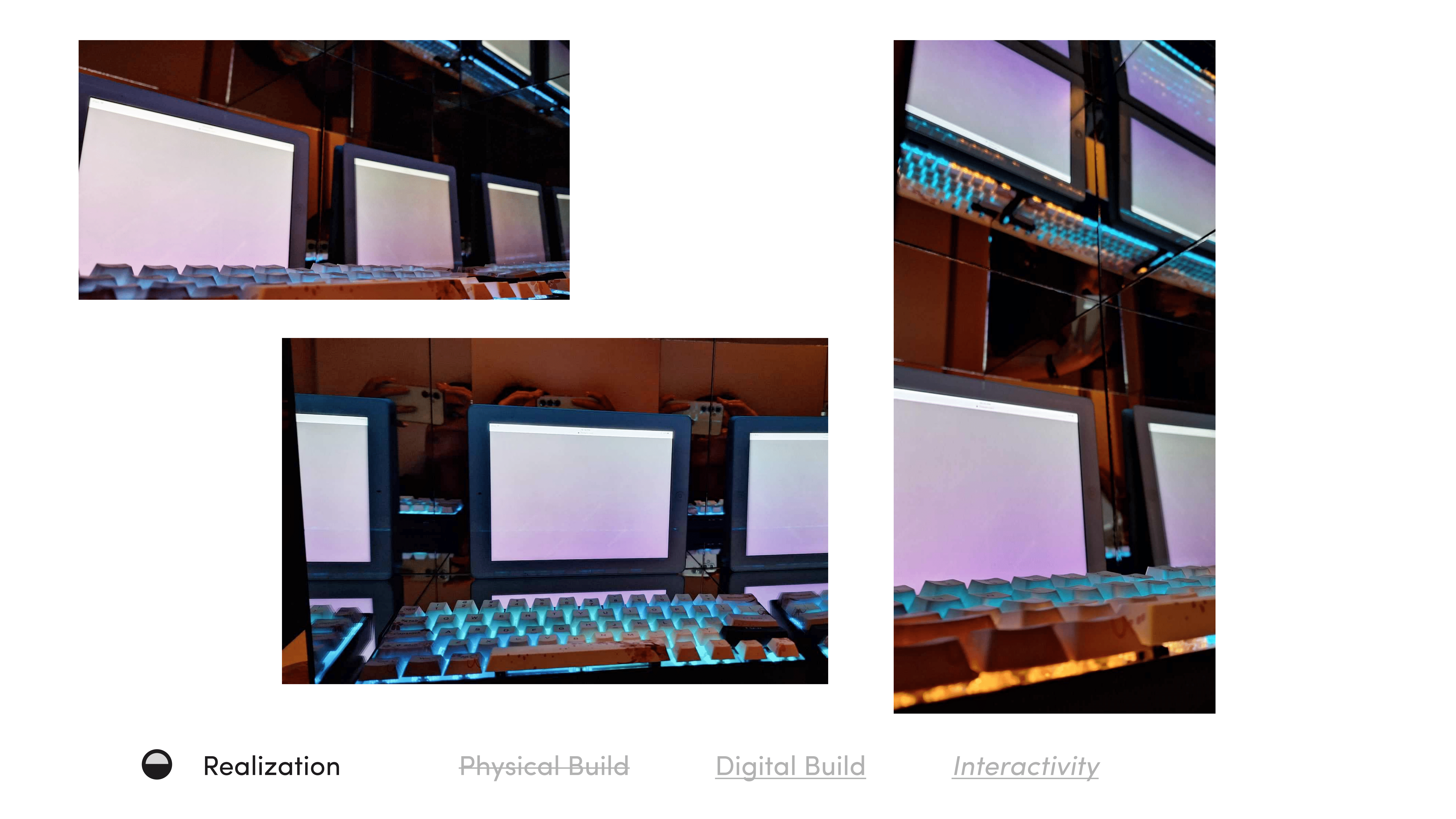
With my updated requirements in mind, I started building the physical portion of my project using multiple physical processes which can be viewed as a snapshot below.

Final Exhibition

Exhibition Photos
What was successful
User Engagement
I spoke with each user and observed them during use, when possible, and found that they were able to complete the expected user flow from beginning to end. It was also a good sign that most users decided to repeat the process to answer another question at least once.
Intent Matched Outcome
When comparing my final iteration of the project to the fully realized installation, I was able to confidently say that I met the most important requirements and matched the overall vision of the final concept.
Effects on User
I made sure to ask users the most important question before they left: how did this experience make you feel?
The answers varied from happy to sad to surprised and even emotional. Although the specific emotion depended on the type of question they received at random, the experience affected the users in some way based on their own reflection which was what I had intended.
What I would do differently
Documentation
I would've documented my brainstorming, iteration, and installation process more thoroughly. Looking back at my design process and reflecting on what I could have improved on is a lot easier when I could go retrace my steps accurately.
Increase User Control
A big weakness of my project was that it did not afford users so much flexibility in terms of how to navigate the from beginning to end. For a future iteration, I would give users the option to choose from at least two different input methods and different modes of interaction.
Expert Guidance
As a solo project that started out at a big, almost unrealistic size, I learned a lot of what was required for the project during the process of creating the final product. Although I did consult experts for help, I would make sure to dedicate more time within the project timeline to really understand the tools needed and how to use them.